How to Use Image URLs in HTML, CSS, and Markdown

Sheenam Middha
Writer
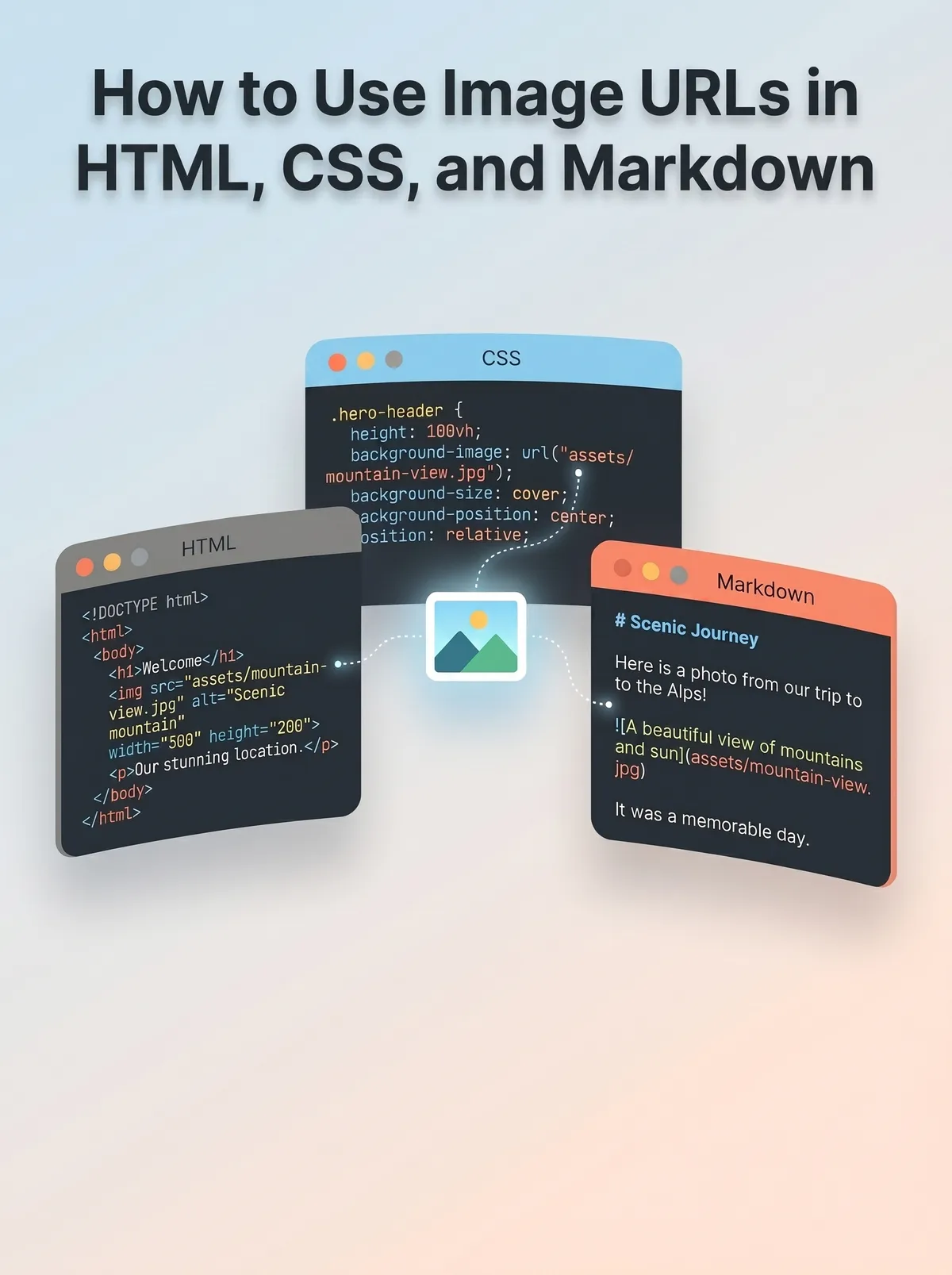
Table of contents
Every webpage, blog post, or README file looks more complete and engaging when it includes images. But one common mistake people make is thinking they can just drop an image file into their code and expect it to work everywhere.
In reality, you need an image URL — a direct web link that allows the browser to instantly load and display the image. Without a proper URL, your image simply won’t show up.
In this guide, you’ll learn how to properly use image URLs in HTML, CSS, and Markdown. It includes simple, practical examples that you can copy and use right away.
Whether you’re building a website, styling a page, or writing documentation, this tutorial will help you add images correctly and avoid common issues.
What Is an Image URL?
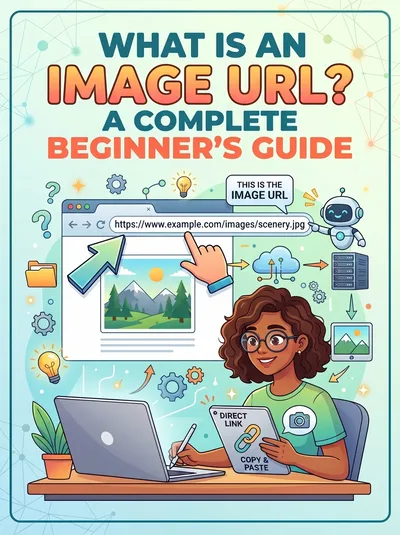
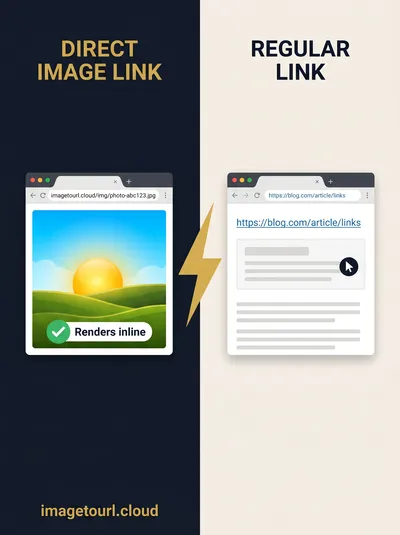
An image URL is a direct web address that points to an image available online. Instead of storing images locally on your computer, you host them on the web and use a link that browsers can access instantly.
https://cdn.imagetourl.cloud/uploads/0zbgflzz.jpg
Images are essential for any website, blog post, or README file because they make content more engaging and easier to understand. However, you can’t just add a local image file into your code and expect it to work everywhere. Without a proper image URL, the browser won’t be able to load the image.
In this tutorial, you’ll learn how to use image URLs in HTML, CSS, and Markdown, with real working examples. Whether you’re building a website, styling a page, or writing documentation, you’ll find simple code snippets here that you can copy and use right away.
How to Get an Image URL
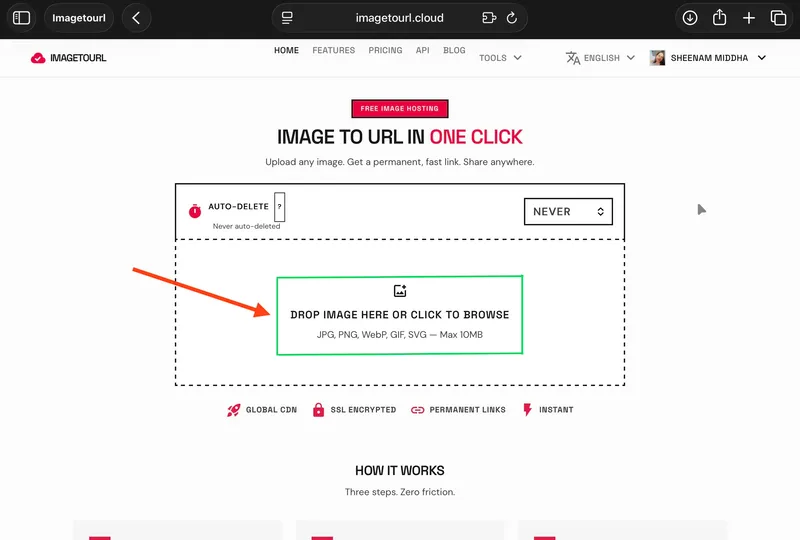
Getting a direct image URL is easy with tools like ImageToURL. You just upload your image, and the tool provides a direct link that you can use in HTML, CSS, or Markdown. This makes it simple to display images online without worrying about local file paths.
Go to imagetourl.cloud
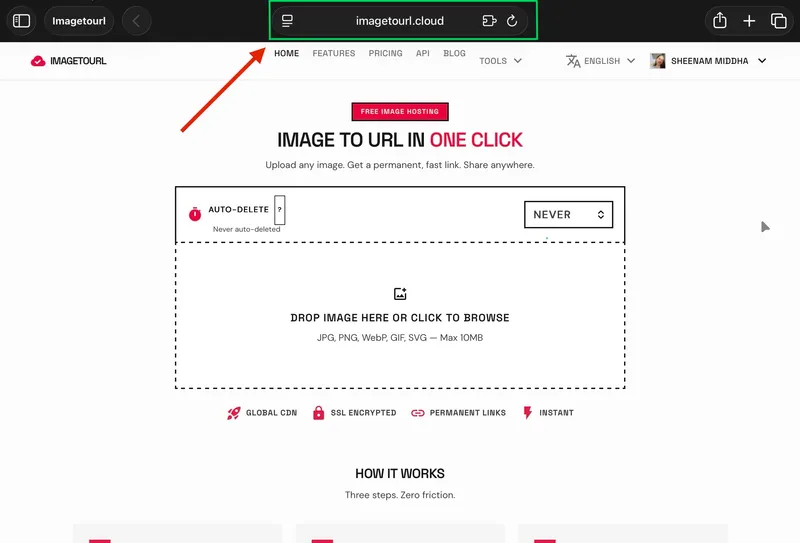
Upload your image (JPG, PNG, GIF, WebP, or SVG — up to 10MB)
Copy the generated direct link
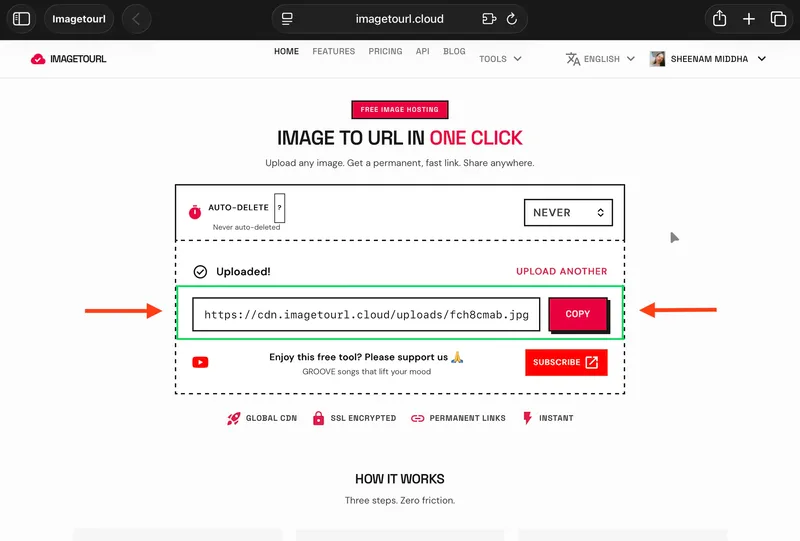
Paste it into your code
There’s no need to sign up — you can start instantly. Your images are served through a global CDN, so they load quickly for users anywhere in the world.
How to Use an Image URL in HTML
HTML is the standard way to show images on a webpage, and the <img> tag makes the process simple.
Basic Image Tag
<img src="/img/uploads/0zbgflzz.jpg?w=800&f=webp" alt="Sample image from ImageToURL">That’s all it takes — just one line. Add your image URL in the src attribute, and use the alt attribute to describe the image for better accessibility and SEO.
Setting Width and Height
Control the image size directly in your HTML:
<img
  src="/img/uploads/0zbgflzz.jpg?w=800&f=webp"
  alt="Resized image example"
  width="600"
  height="400"
>
The width and height added avoid layout movement as the page loads. This is crucial to Core Web Vitals and user experience.
Making an Image Clickable
Wrap the <img> tag inside an anchor (<a>) tag:
<a href="https://imagetourl.cloud/">
  <img src="/img/uploads/0zbgflzz.jpg?w=800&f=webp" alt="Click to visit ImageToURL">
</a>
Clicking the image now takes the user to the linked page.
How to Use an Image URL in CSS
CSS provides you with a greater ability to control the appearance of images, particularly of the background, overlays, and decorations.
Background Image
.hero-section {
  background-image: url('https://cdn.imagetourl.cloud/uploads/0zbgflzz.jpg');
  background-size: cover;
  background-position: center;
  height: 400px;
}
Background-size: cover ensures that the image does not stretch and fills the entire container. Apply to hero banners, card backgrounds, or section dividers.
Responsive Background with Overlay
.banner {
  background-image:
    linear-gradient(rgba(0, 0, 0, 0.5), rgba(0, 0, 0, 0.5)),
    url('https://cdn.imagetourl.cloud/uploads/0zbgflzz.jpg');
  background-size: cover;
  background-position: center;
  min-height: 300px;
  display: flex;
  align-items: center;
  justify-content: center;
  color: white;
}
This gives the image a dark overlay, such that white text is readable on any photo. It is a typical landing page trend.
Using Image URLs with Pseudo-Elements
.card::before {
  content: '';
  background-image: url('https://cdn.imagetourl.cloud/uploads/0zbgflzz.jpg');
  background-size: cover;
  position: absolute;
  top: 0;
  left: 0;
  width: 100%;
  height: 100%;
  opacity: 0.3;
}
Pseudo-elements enable you to overlay an image atop other content without extra HTML.
How to Use an Image URL in Markdown
Markdown is commonly used for README files, blogs, and documentation platforms like GitHub and Notion. The good thing is, adding images is really simple.
Basic Markdown Image
In Markdown, the exclamation mark tells the processor that it’s an image, not a standard link. The text inside the square brackets acts as the alt text.
Image with a Title Tooltip
In most Markdown tools, the title text appears when you move your cursor over the image.
Clickable Image in Markdown
[](https://imagetourl.cloud/)This places the image inside a clickable link. The outer brackets and parentheses define the link, and the inner image syntax controls how the image appears.
Resizing Images in Markdown
Markdown doesn’t natively allow you to set image width or height. For that, you can use an HTML <img> tag.
<img src="/img/uploads/0zbgflzz.jpg?w=800&f=webp" alt="Resized image" width="500">The good part is that most platforms like GitHub, Notion, and Jekyll support inline HTML without any issues.
Quick Reference Table
Use Case | Code |
HTML image | <img src="URL" alt="description"> |
HTML with size | <img src="URL" alt="description" width="600"> |
CSS background | background-image: url('URL'); |
Markdown image |  |
Clickable Markdown image | [](link) |
Why Use ImageToURL for Your Image Links?
When you add images to your code, the URL needs to be reliable. If the hosting service deletes your file or stops working, your images won’t load on any page that uses that link.
That’s where tools like ImageToURL come in. They give you direct image links backed by CDN delivery, so your images load fast and stay available. You don’t need to create an account, and you can upload multiple images at once. It also supports common formats and even lets you automate uploads using an API.
Conclusion
Using image URLs is a simple yet powerful way to handle images in modern web projects. Instead of relying on local files that may not work everywhere, direct image links ensure your images load correctly across HTML, CSS, and Markdown.
They also improve performance by delivering images through CDNs, making them faster and more reliable for users in different locations. This not only enhances user experience but also helps maintain consistency across websites, blogs, and documentation.
By using tools that generate direct image URLs, you can save time, avoid broken links, and streamline your workflow. Whether you’re a developer, blogger, or content creator, this small change can make a big difference.
Start using image URLs in your next project and see how much easier managing images becomes.
Frequently Asked Questions
What is an image URL?
Image URL is the straight web address to an online-hosted image file. It is a connection that is used by browsers to retrieve and present the image in a webpage. It typically has a file extension such as .jpg, .png, or .webp.
How do I get a direct URL for my image?
Post your picture on ImageToURL. The tool creates an everlasting direct connection in real time - no account required. Simply copy the URL and paste it into your HTML, CSS, or Markdown code.
Can I use the same image URL in HTML, CSS, and Markdown?
Yes. One image URL is applicable to all three. Embed it in an HTML tag, a CSS background-image property, or Markdown image syntax. The URLs remain the same, with only the format of the code surrounding them varying.
Does Markdown support image resizing?
Standard Markdown does not support the width and height attributes. Rather, a resizing of an image in Markdown should be done using an HTML tag with a width attribute. Most Markdown renderers (GitHub, Notion, and Jekyll) support inline HTML.
Will my image URL stop working after some time?
It is based on the hosting service. Other free hosting websites delete images when they are inactive. ImageToURL provides long-term hosting, thus your links remain operational as long as the service is operational.
What image formats can I convert to a URL?
ImageToURL accepts any file up to 10MB: JPG, PNG, GIF, SVG, and WebP. After uploading, it gives a direct CDN URL that can be utilized anywhere on the web.